

Download Enigma Messenger – Secure Free Messaging App
Overview
Enigma Messenger is a free‑to‑download communication platform that places privacy at the core of every conversation. Built around end‑to‑end encryption, the app encrypts text, voice, and video data with a blend of 256‑bit AES, 2048‑bit RSA, and Diffie–Hellman key exchange. Whether you are chatting one‑on‑one or managing a massive group of up to 100,000 members, Enigma guarantees that only the intended participants can read or hear the content.
The messenger also supports self‑destructing messages, an anonymous ID system, and a separate unlock password for added protection. Users benefit from hidden phone numbers, granular privacy controls, and a synchronization engine that mirrors chats across six devices without ever storing unencrypted data on the server. While the feature set is expansive, some users have reported occasional lag on low‑end hardware.
Overall, Enigma Messenger stands out as a versatile, security‑first alternative to mainstream instant‑messaging apps, making it an excellent choice for individuals and teams that demand confidentiality without sacrificing usability.
Key Features
- End‑to‑end encryption for text, voice, and video calls (256‑bit AES, 2048‑bit RSA, Diffie–Hellman).
- Unlimited self‑destructing messages with customizable timers.
- Group chats supporting up to 100,000 members, each protected by the same encryption standards.
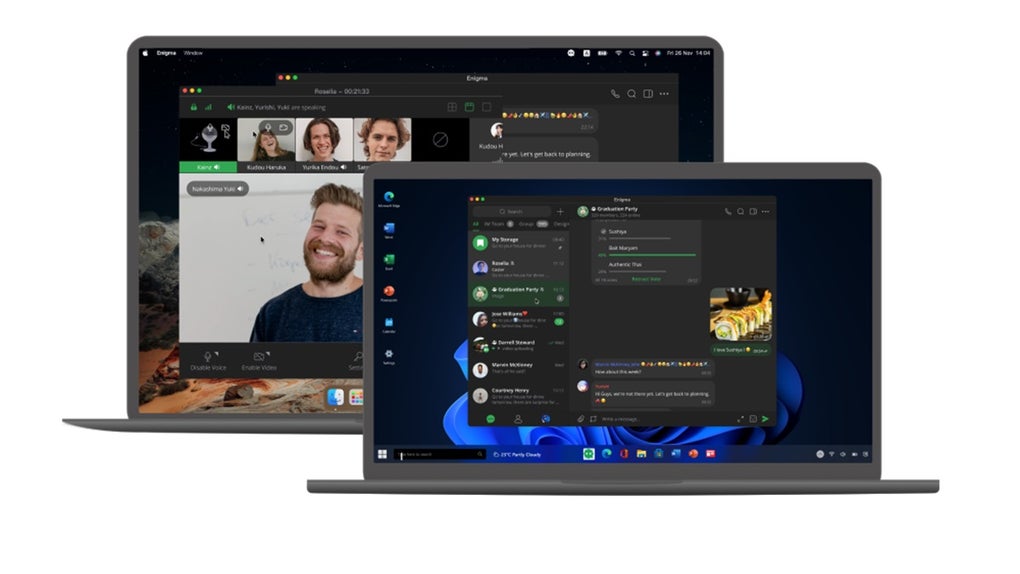
- Free encrypted voice and video calls for single or multi‑person conversations.
- Anonymous ID and key system that hides real identities while preserving message integrity.
- Separate unlock password to guard the app from unauthorized access.
- Hidden phone numbers with privacy settings that let you control who can find you.
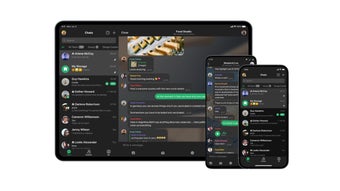
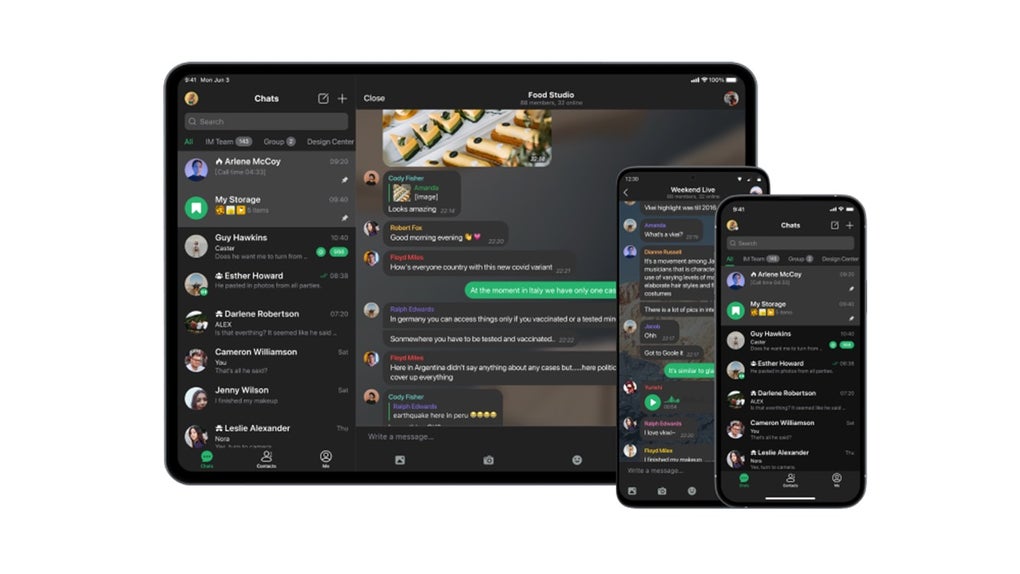
- Message synchronization across up to six devices, ensuring continuity on desktop, tablet, and mobile.
- Proxy sharing, historical avatars, and code‑text formatting for developers and power users.
- Secure server storage – only encrypted blobs reside on the cloud, keys stay on user devices.
Installation & Usage Instructions
Getting started with Enigma Messenger is straightforward, whether you are on Windows, macOS, Android, or iOS. Follow these steps to download, install, and begin chatting securely:
- Download the installer. Visit the official Enigma website or your device’s app store. For desktop, choose the Windows (.exe) or macOS (.dmg) package; for mobile, select the Android (.apk) or iOS version.
- Run the installer. On Windows, double‑click the .exe file and follow the on‑screen wizard. On macOS, drag the Enigma icon to your Applications folder. Mobile users simply tap “Install” and grant the requested permissions (camera, microphone, contacts).
- Create an account. Launch the app and choose “Create New Account.” You will be asked to set a strong password and optionally an additional unlock password that protects the app itself.
- Generate your anonymous ID. The app automatically creates a unique ID and encryption key pair. Store the recovery phrase in a secure location; it is the only way to recover your account if you lose your device.
- Configure privacy settings. Navigate to Settings → Privacy. Here you can hide your phone number, decide who can find you by ID, and enable self‑destruct timers for future messages.
- Start a conversation. Tap the “New Chat” button, select a contact, or invite members to a group. Use the attachment icon to share files, photos, or code snippets. To initiate a voice or video call, press the call icon and choose “Encrypted Call.”
- Synchronize across devices. In Settings → Sync, log in with the same account on additional devices. Enigma will securely replicate your encrypted chat history, allowing you to switch between phone, tablet, and desktop without missing a beat.
- Keep the app updated. Regular updates improve performance and patch potential vulnerabilities. Enable automatic updates in your device’s app store or check “Check for Updates” in the Enigma menu.
Following these steps ensures you benefit from the full security suite Enigma offers while enjoying a smooth, modern messaging experience.
Compatibility, Pros & Cons
Enigma Messenger is built for cross‑platform compatibility. Official binaries are available for Windows 10/11 (64‑bit), macOS 10.15 and later, Android 8.0 and up, and iOS 13 or newer. The app also offers a web‑based client that runs in modern browsers (Chrome, Edge, Firefox, Safari) without requiring additional plugins, making it suitable for users who prefer a lightweight desktop experience.
Pros
- Industry‑grade encryption applied to every communication channel.
- Self‑destructing messages and an optional unlock password add layers of protection.
- Massive group capacity (up to 100 k members) without sacrificing security.
- Seamless multi‑device synchronization across up to six devices.
- Free voice and video calls, eliminating the need for separate conferencing tools.
- Robust privacy controls: hidden phone numbers, anonymous IDs, and granular find‑by‑ID settings.
- Developer‑friendly features like code‑text formatting and proxy sharing.
Cons
- Occasional lag on older or low‑spec hardware, especially during large group calls.
- Initial setup requires careful handling of the recovery phrase; loss can lock you out.
- Limited third‑party integrations compared with some mainstream messengers.
- Desktop client does not yet support end‑to‑end encrypted file sharing larger than 100 MB.
Frequently Asked Questions
Is Enigma Messenger really free?
Yes. Enigma Messenger can be downloaded and used without any subscription fee. All core features—including encrypted text, voice, video calls, and self‑destructing messages—are available at no cost. Optional premium add‑ons, such as expanded cloud storage, may be offered in the future, but the baseline application remains free.
How does the self‑destruct feature work?
When you send a message, you can set a timer (ranging from 5 seconds to 24 hours). Once the recipient opens the message, the countdown begins. After the timer expires, the message is automatically deleted from both the sender’s and receiver’s devices, leaving no trace. The server never stores the plaintext content, so even if it were compromised, the message would be unreadable.
Can I use Enigma on multiple devices simultaneously?
Absolutely. Enigma allows you to sync your encrypted chat history across up to six devices. After logging in with the same account, the app securely transfers encrypted message blobs, and decryption happens locally on each device. This ensures continuity while keeping the encryption keys private.
What makes Enigma’s encryption stronger than other apps?
Enigma combines three proven cryptographic standards: 256‑bit AES for symmetric encryption, 2048‑bit RSA for key exchange, and Diffie–Hellman for establishing a secure session key. This layered approach means that even if one algorithm were compromised, the others would still protect the data. Moreover, keys never leave the user’s device, and the server only stores encrypted payloads.
Is there a way to recover my account if I lose my phone?
During account creation, Enigma provides a recovery phrase (a series of 12‑word mnemonic). Store this phrase in a safe place—offline, preferably. If you lose your device, you can reinstall the app on a new device and enter the recovery phrase to restore your account and all encrypted chats. Without the phrase, the encrypted data cannot be recovered, underscoring the importance of backing it up securely.
Ready to protect your conversations? Download Enigma Messenger now and experience secure, limitless chatting across all your devices.







